Microsoft Intune · Chrome Enterprise · Entra ID · PowerShell · Policy Management
Chrome Policy Manager: delivering policy beyond the ADMX bottleneck
A walkthrough of the feature gap behind Chrome Policy Manager, its versioned PolicySets and priority resolver, and the Intune remediation flow that applies resolved settings to managed devices.
- Drafted
- Published
- Reading time
- 4 min
- Author
- Roberto Gramellini
Source:
Chrome Policy Manager
· revision a3f63874
- Chrome Policy Manager
- Chrome policies Intune
- ADMX limitation
- PolicySet versioning
- Intune remediation
Chrome Policy Manager: delivering policy beyond the ADMX bottleneck
Organizations can manage Chrome on Windows with ADMX templates in Intune, but that workflow can become awkward when template versions, duplicate namespaces, policy-set changes, and assignments all need to evolve together. A local device still needs the intended policy values applied reliably—even when the Settings Catalog is not a practical place to author or version them.
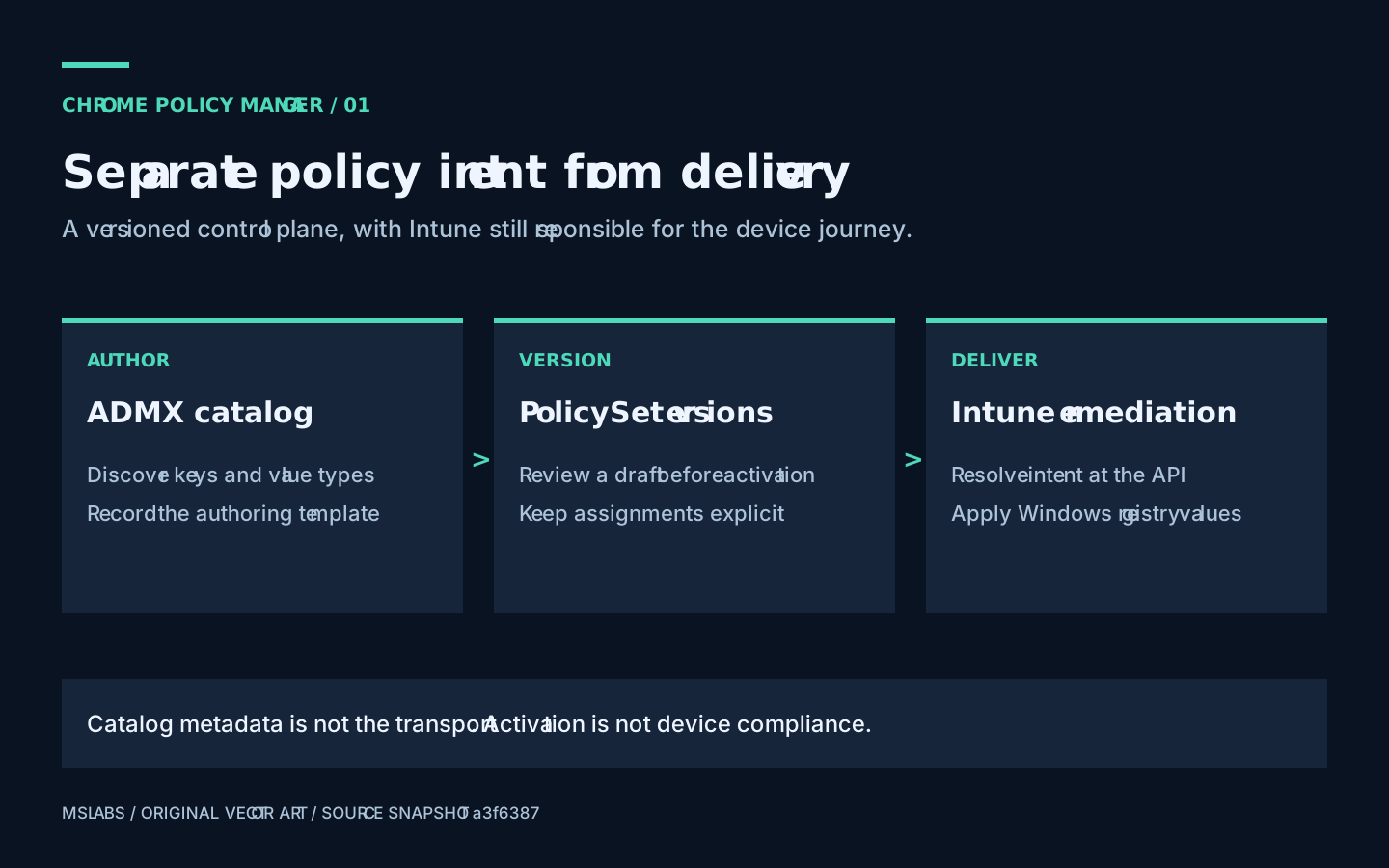
Chrome Policy Manager explores a different boundary: keep policy authoring, versioning, targeting, and effective-value resolution on the server, then let Intune Proactive Remediation scripts deliver the resolved settings to devices. The aim is not to replace Intune management; it is to avoid making each policy-template upload the central mechanism for every Chrome policy change.
Why separate authoring from delivery?
The repository's problem statement calls out duplicated imported policies, difficulty removing older templates while policies still reference them, and the operational churn of reconciling assignments during Chrome version updates. These are lifecycle problems as much as UI problems.
The application models policy collections as PolicySets with immutable versions. An administrator can stage a policy change, review a version, and promote it without silently rewriting the version already used by an active assignment. Assignments target Entra ID groups and carry a priority, policy scope, and machine-or-user target. Multiple ADMX catalog versions can coexist as metadata for authoring and validation, without requiring each catalog version to be the delivery contract.
Resolving an effective policy
At request time, the server obtains the device's Entra group memberships, selects enabled assignments for the requested target and active PolicySet versions, then orders them by priority. It maintains separate mandatory and recommended settings dictionaries. For a duplicate setting key within the same bucket, the first assignment to provide the key wins; the lowest numeric priority therefore takes precedence.
Code excerpt: deterministic priority resolution
This abbreviated excerpt from EffectivePolicyService.cs filters active assignments and applies the first-writer rule.
var assignments = await _db.PolicyAssignments
    .Include(a => a.PolicySetVersion)
        .ThenInclude(v => v.PolicySet)
    .Where(a => a.Enabled && a.Target == target && groupIds.Contains(a.EntraGroupId))
    .Where(a => a.PolicySetVersion.Status == PolicyVersionStatus.Active)
    .OrderBy(a => a.Priority)
    .ToListAsync();

foreach (var kvp in settings)
{
    if (!targetDict.ContainsKey(kvp.Key))
        targetDict[kvp.Key] = ConvertJsonElement(kvp.Value);
}
The code keeps the resolution rule explicit instead of relying on whichever policy happened to arrive last. It also means priority is operationally significant: review it as part of a change, and verify the effective result before broad assignment.
From API response to device registry
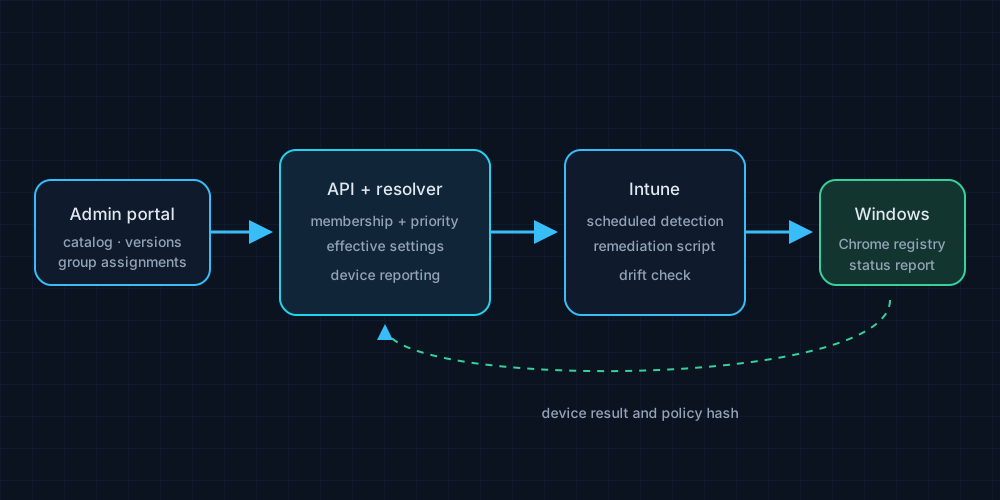
The admin portal manages the catalog, PolicySets, versions, and group assignments. The API resolves the effective settings and exposes device-facing operations. Intune deploys a detection/remediation script that compares the intended policy with local Chrome registry state, applies missing or changed values, and reports device status. The repository also includes a worker and infrastructure definitions for Azure deployment.
This split provides useful separation: an administrator can review policy intent centrally, while the device-side script remains responsible for applying Windows registry policy where Chrome reads it. The repository documents both machine (HKLM) and user (HKCU) targeting; those scopes should not be conflated because they have different effects and execution requirements.
Security and operational boundaries
Device endpoints, the API gateway, and certificate-trust configuration are part of the design, not optional decoration. Production deployment should use the documented certificate validation and gateway controls; the README explicitly warns that direct, unauthenticated device access in development skips important protections. Validate target groups, policy priority, device identity, and the exact settings before enabling remediation broadly.
The project is MIT-licensed. Review the ChromePolicyManager repository for the API, admin portal, client scripts, infrastructure, and architecture decision records. The implementation snapshot described here is pinned to a3f6387. A policy engine can remove version-management friction; it still cannot rescue an assignment that was confidently sent to the wrong group.