Intune · Windows Autopilot · PowerShell · Microsoft Graph · Automation Safety
Safer Windows Autopilot updates begin with an explicit pilot
A practical look at dry-run defaults, inventory eligibility, exact serial matching, and controlled Microsoft Graph writes in a scheduled Autopilot workflow.
- Drafted
- Published
- Reading time
- 3 min
- Author
- Roberto Gramellini
Source:
Autopilot Device Configuration
· revision d40c7c55
- Intune
- Windows Autopilot
- PowerShell
- Microsoft Graph
- Automation Safety
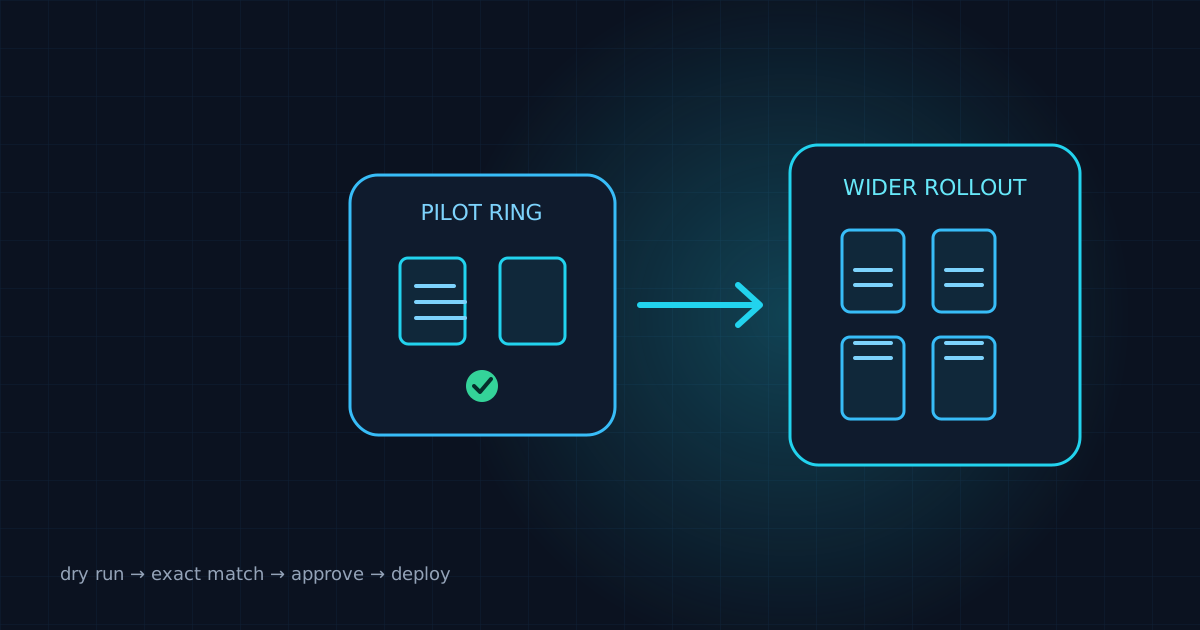
Safer Windows Autopilot updates begin with an explicit pilot
Automating Autopilot device names and Group Tags is not just a Microsoft Graph update. A reliable workflow must prove that an inventory record belongs to one unambiguous device, that the requested change is allowed, and that write access is intentional.
The Autopilot-Device-Configuration repository demonstrates these controls in a scheduled Azure Functions workflow. Its strongest operational choice is to make a proposed change observable before making it real.
Start in dry-run mode
The timer-triggered function reads DRY_RUN as true by default. When dry-run is disabled, configuration validation requires a non-empty pilot serial allowlist:
if (-not $dryRun -and $pilotSerialNumbers.Count -eq 0) {
    throw 'PILOT_SERIAL_NUMBERS must contain at least one serial number before DRY_RUN can be disabled.'
}
This is a useful deployment boundary: write mode cannot be enabled accidentally by omitting the pilot scope. During dry runs, the processor records a WOULD_UPDATE result and continues without calling the Graph update operation. Operators can compare proposed names and tags with approved inventory before allowing a pilot to write.
Make eligibility explicit
The workflow does not treat a matching serial number as sufficient authorization. An inventory record must explicitly opt in:
if ((Get-InventoryProperty -Record $Record -Name 'EligibleForAutomation' -Default $false) -ne $true) {
    $reasons.Add('EligibleForAutomation is not explicitly true.')
}
Eligibility also rejects excluded, legacy, or conflicting records and requires approved provisioning, lifecycle, and join-type values. Missing evidence produces a skip rather than an inferred approval. This fail-closed approach is particularly important because an Autopilot identity alone does not prove the current Entra join state.
Correlate exactly and avoid duplicate writes
The processor normalizes serial numbers, requires one exact inventory-to-Autopilot match, and skips records with no match or more than one match. It validates both the requested device name and Group Tag before comparing them with current values. Already-compliant devices are logged and left unchanged, so scheduled reruns do not send needless updates.
This separation—validate, correlate, compare, then write—makes it easier to review why a device was skipped or changed. Structured events include a per-run correlation ID and a summary, giving operators a way to follow a batch without turning the function into a public request endpoint.
Treat write mode as a release gate
The project uses a system-assigned Managed Identity and the Microsoft Graph DeviceManagementServiceConfig.ReadWrite.All application permission for its read-and-update operations. That permission is powerful enough to change Autopilot identities, so dry-run output, inventory review, and a narrowly scoped pilot should precede any broader rollout.
Group Tag changes can alter dynamic group membership and downstream Intune assignments. A display-name update also does not immediately rename a device that is already enrolled; the name is applied through a later supported enrollment flow. Review those effects separately from the successful Graph response.
Operational checklist
- Keep dry-run enabled while validating inventory and proposed changes.
- Require a small, explicitly approved pilot list before enabling writes.
- Ensure each inventory record has an approved lifecycle, provisioning method, and join type.
- Resolve missing or duplicate serial matches rather than guessing.
- Review Group Tag impacts on dynamic groups and assignments.
- Monitor structured outcomes and retain the run correlation ID.
The repository is an MVP and expects trusted inventory to supply join-type evidence; it does not independently resolve every device through Intune and Entra. That limitation should be closed before relying on the workflow for unattended production changes.