Series · Chrome Policy Manager: from intent to verified policy · Part 2 of 3
Microsoft Intune · Chrome Enterprise · PowerShell · Windows Registry · Policy Management
Chrome Policy Manager, part 2: apply settings and check drift
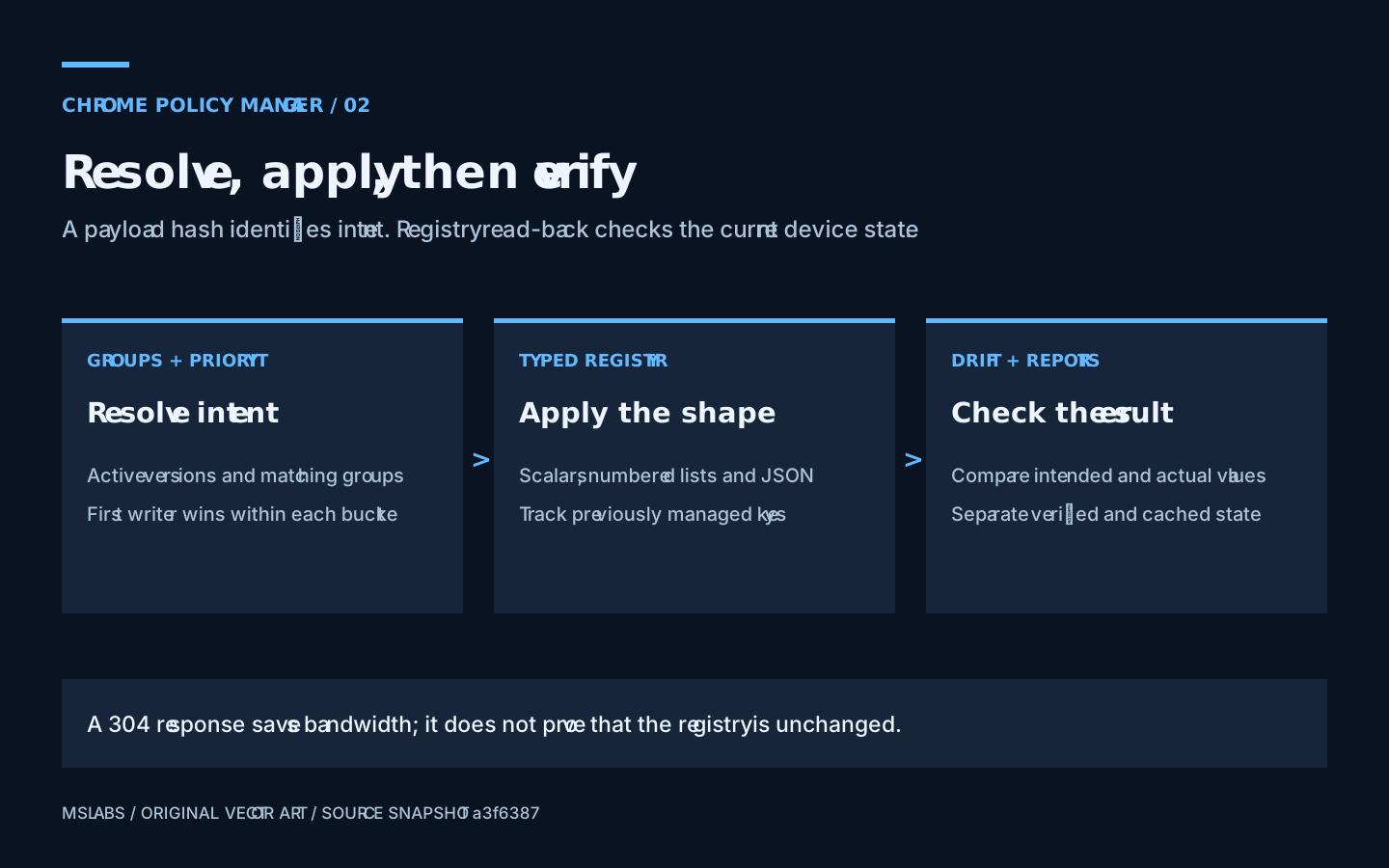
Follow settings from group lookup to registry read-back, and see why an unchanged server hash or cached success can still leave a device needing attention.
- Drafted
- Published
- Updated
- Reading time
- 10 min
- Author
- Roberto Gramellini
Source:
Chrome Policy Manager
· revision a3f63874
- Chrome policy priority
- effective policy
- registry drift detection
- Intune remediation
- Chrome registry lists
- ETag
Chrome Policy Manager, part 2: apply settings and check drift
Who this is for. Microsoft Edge is generally the sensible starting point for managed browsing in a Microsoft-centric enterprise. Many organizations already standardize on it. This series addresses teams using Google Chrome as their primary browser, rather than making a case for switching away from Edge.
The project serves a narrower need within that group: managing newly available Chrome policy definitions without waiting for a particular management surface to expose them. That does not justify a custom platform everywhere. Nor does a fresh template import tell you whether a setting will work on the Chrome builds you actually have.
Suppose a browser setting worked yesterday, and today one device behaves differently even though the API returns the same hash. Perhaps somebody edited the registry. Another management source might have written a competing value. Chrome itself might reject a value that looks reasonable in JSON. Asking the server for the hash again will not settle any of those questions.
Chrome Policy Manager divides the investigation between its resolver and PowerShell clients. The server calculates intended settings from group assignments; the client writes their Windows registry representations, remembers which names it manages and, on important paths, reads them back. I'd follow that sequence before trusting a detection result. Some success paths provide much stronger evidence than others.
Part 1 explains catalogs, version lifecycle and assignment references. Now we can follow a machine request at revision a3f6387445f789cb6fef3409973fd2e2f969abed, from group lookup to local verification. Part 3 follows user-context execution and production trust boundaries.
Get the device identity right first
The machine client starts with the Entra device registration identifier. Graph's device membership endpoint needs the directory object identifier, which may be different. GraphService.cs resolves the registration identifier to a device object before asking for memberships.
For devices it calls MemberOf, follows pagination and deduplicates group identifiers. The user path calls TransitiveMemberOf and includes nested memberships. Both return groups, but they do not promise the same nested-group behavior. Check that difference before designing assignment groups.
There is a more consequential detail. A membership-resolution exception is logged and converted into an empty list. To the resolver, that looks like a successful lookup with no memberships. An API response containing empty buckets can therefore hide a Graph failure. Before allowing that result to remove previously managed settings, correlate it with the server logs. Empty is not always intentional.
Which assignments reach the merge?
The selection in EffectivePolicyService.cs checks enabled state, target, group membership and whether the referenced version is active. Only then does numeric priority order the results:
var assignments = await _db.PolicyAssignments
    .Include(a => a.PolicySetVersion)
        .ThenInclude(v => v.PolicySet)
    .Where(a => a.Enabled && a.Target == target && groupIds.Contains(a.EntraGroupId))
    .Where(a => a.PolicySetVersion.Status == PolicyVersionStatus.Active)
    .OrderBy(a => a.Priority)
    .ToListAsync();
As in part 1, an assignment pointing at an archived version does not automatically fall forward to the latest active version of that PolicySet.
Mandatory and recommended values go into separate dictionaries. Within either dictionary, the first assignment to supply a name keeps it:
if (!targetDict.ContainsKey(kvp.Key))
{
    targetDict[kvp.Key] = ConvertJsonElement(kvp.Value);
    hadNewKeys = true;
}
Lower numeric priority wins within a bucket. For example, an exception at 10 beats a baseline at 100 if both specify PasswordManagerEnabled in the same bucket. Put one in mandatory and the other in recommended, however, and both values can be returned. Chrome decides the final behavior across levels and other management sources; this merge loop does not.
I'd avoid ties entirely. There is no secondary ordering key in the query, so equal-priority conflicts have no documented deterministic tie-breaker here. Assign distinct priorities to overlapping exceptions and inspect the result. A database order is not a decision you want to explain as policy intent.
The response's AppliedAssignments also needs careful reading. An assignment is recorded if it supplied a new key or had empty settings. If all its nonempty settings were shadowed, it may be absent. This is contribution information, not a full trace of everything the resolver considered.
The server hash cannot see registry drift
After merging, the resolver serializes both dictionaries and hashes their concatenation. The endpoint uses the resulting hash as an ETag. Here is the comparison in DeviceEndpoints.cs:
var ifNoneMatch = httpContext.Request.Headers.IfNoneMatch.FirstOrDefault();
if (!string.IsNullOrEmpty(ifNoneMatch) && ifNoneMatch == etag)
{
    httpContext.Response.Headers.ETag = etag;
    return Results.StatusCode(304);
}
An unchanged body need not cross the network again. The membership lookup and resolver work have already happened, though, so this does not eliminate all server work. The hash is neither a signature nor a guarantee of canonical JSON ordering.
Most importantly, 304 Not Modified says nothing about a registry value somebody deleted ten minutes ago. It describes unchanged server intent. The detection script has a cached-policy verification path precisely because a saved hash cannot inspect the endpoint.
Write the representation Chrome expects
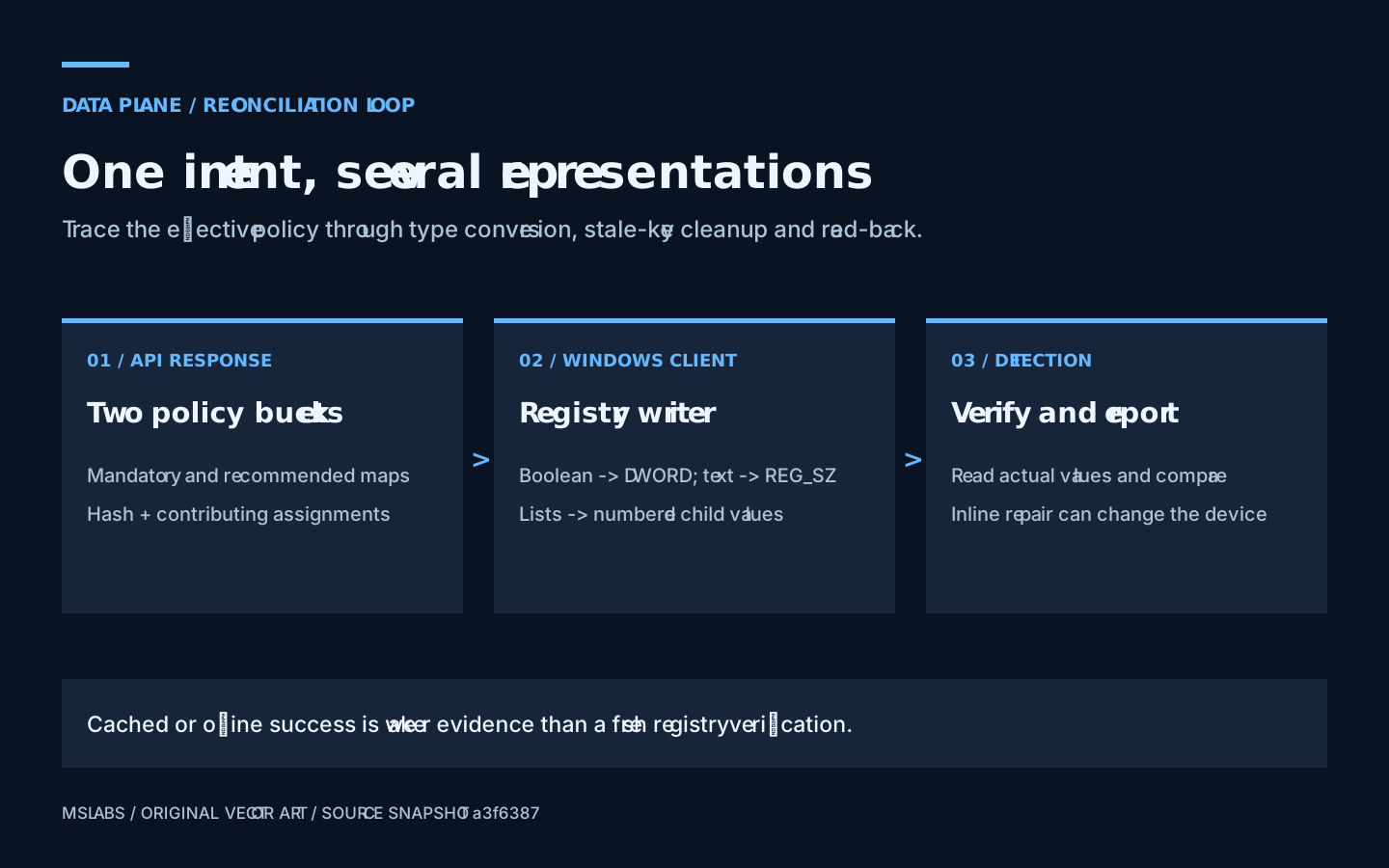
The conversion helpers are in Detect-ChromePolicy.ps1 and Remediate-ChromePolicy.ps1. Applying every JSON member with Set-ItemProperty would miss an important part of the job.
The helpers write booleans and small integral values as DWORDs. Larger numbers and floating-point values have string conversion paths; ordinary strings become REG_SZ. Scalar lists need child keys with numbered values, while complex lists and dictionaries are serialized as JSON strings. Those representations are not interchangeable.
Once the detection helper has established that every item is scalar, this exact loop writes the numbered list:
$listPath = Join-Path $BasePath $PolicyName
New-Item -Path $listPath -Force | Out-Null
for ($i = 0; $i -lt $items.Count; $i++) {
    $s = ConvertTo-ChromeScalar $items[$i]
    New-ItemProperty -Path $listPath -Name (($i + 1).ToString()) -Value $s.Data -PropertyType $s.Type -Force | Out-Null
}
Take URLBlocklist. Its string list goes into a URLBlocklist subkey with names 1, 2 and so on. One comma-separated string is not an equivalent substitute. Chrome's policy loader expects the registry shape as well as the content.
Before writing, Remove-PolicyEntry removes both the named value and a same-named child key, so an old representation cannot linger after a shape change. There is a cost: removal and writing are not one transaction. If the write fails, the setting can be missing. Include representation changes in the pilot, not just new values.
These are the source's conversion rules, not a guarantee that every JSON number or nested object makes a valid Chrome policy. Check the browser schema and supported version before relying on a successful registry write.
Agree who owns each setting
The manifest remembers previously managed mandatory and recommended names. Reconciliation compares that inventory with the current payload and removes managed entries no longer requested.
I'd rather see this than deletion of the entire Chrome policy branch. It still cannot grant exclusive ownership. If another tool later writes a name in this client's old inventory, stale-key cleanup may remove that tool's value too. Do not leave Intune policy, Group Policy and another agent competing over the same names.
For a management-source transition, export the relevant registry state and agree which tool owns each setting. Test assignment removal and rollback. A central database cannot prevent a separate agent from coming back five minutes later and rewriting its preferred answer.
Read back what was written
The verifier converts intended and actual registry values into canonical tokens. Numbered children are read in numeric order, and integer-like and string-like forms remain distinguishable. It then compares the tokens.
The detection script's core comparison fits in three lines:
$actual = Read-AppliedPolicy -BasePath $BasePath -PolicyName $PolicyName
if (-not $actual.Found) { return $false }
return ($actual.Canonical -eq (Get-IntendedCanonical $IntendedValue))
Test-AllPoliciesApplied runs the helper over current mandatory and recommended settings. That catches an expected entry which has disappeared or changed, even while the local hash agrees with the server.
Do not read it as an audit of all Chrome-related values. Extra settings outside the payload need not show up as mismatches, and a matching registry entry can still be unsupported or rejected by Chrome. After the client check, use chrome://policy to see the browser's interpretation and errors.
Read the success path, not just the exit code
By default, detection has inline remediation enabled. Running it can change registry settings, remove stale names, update the manifest and send a report. If you need a read-only inspection during the pilot, do not assume the script's name gives you one.
After inline application, success depends on expected-value verification, the stored-hash comparison and accumulated errors. Reporting distinguishes results such as Compliant, PartiallyApplied and Error.
Other paths are weaker. With no certificate but an existing local hash, detection can report cached offline compliance without fetching current intent. A 304 with no cached payload file can return successful cached verification without reading the registry. Exhausted rate-limit retries can also fall back to an existing local hash.
These choices keep the workflow moving through communication failures. They do not supply fresh verification. I'd distinguish a current-payload check, a cached-payload check and a result assumed from a local marker in the operational view. Put all three under one green square and the important information is gone.
Retries add initial jitter and honor Retry-After on HTTP 429. Several reporting helpers are best-effort, so a local change may succeed while its upload fails. The reverse timing matters too: accepting a queued report at the API does not mean the dashboard has processed it.
Try to make the pilot disagree
Give the pilot an overlapping exception with a distinct priority. Edit a registry value while keeping the server payload unchanged. Change a list to a scalar, then remove a previously managed setting and inspect which names survive. These tests are more informative than running an unchanged happy path once more.
Also try missing certificates, absent cached policy, Graph lookup failure and disconnection. Record the exact reported result for each. Check Chrome as well as the registry, and confirm another management channel is not quietly controlling the same settings.
Being able to inspect these choices is the useful part of the project. Part 3 examines the additional boundaries introduced by user policy and privileged cloud dispatch. Read the reviewed repository snapshot before adopting the scripts. This walkthrough explains their behavior; it does not certify the snapshot as production-hardened.
Source and attribution
The explanations and artwork are original. Short code excerpts are reproduced from the linked source files under the repository's MIT license.
MIT License
Copyright (c) 2026 Roberto Gramellini
Permission is hereby granted, free of charge, to any person obtaining a copy of this software and associated documentation files (the "Software"), to deal in the Software without restriction, including without limitation the rights to use, copy, modify, merge, publish, distribute, sublicense, and/or sell copies of the Software, and to permit persons to whom the Software is furnished to do so, subject to the following conditions:
The above copyright notice and this permission notice shall be included in all copies or substantial portions of the Software.
THE SOFTWARE IS PROVIDED "AS IS", WITHOUT WARRANTY OF ANY KIND, EXPRESS OR IMPLIED, INCLUDING BUT NOT LIMITED TO THE WARRANTIES OF MERCHANTABILITY, FITNESS FOR A PARTICULAR PURPOSE AND NONINFRINGEMENT. IN NO EVENT SHALL THE AUTHORS OR COPYRIGHT HOLDERS BE LIABLE FOR ANY CLAIM, DAMAGES OR OTHER LIABILITY, WHETHER IN AN ACTION OF CONTRACT, TORT OR OTHERWISE, ARISING FROM, OUT OF OR IN CONNECTION WITH THE SOFTWARE OR THE USE OR OTHER DEALINGS IN THE SOFTWARE.