Series · Device Operations Bridge: accountable support for cloud-managed Windows devices · Part 1 of 3
Windows LAPS · Microsoft Intune · Microsoft Entra ID · Cloud-managed devices · Remote support
Device Operations Bridge: a controlled path to cloud-only support
A practical support workflow for cloud-only Windows devices, with detailed LAPS session boundaries, optional gateway execution, and audit limitations.
- Drafted
- Published
- Reading time
- 6 min
- Author
- Roberto Gramellini
Source: Device Operations Bridge (private repository)
- cloud-only Windows support
- LAPS session management
- remote troubleshooting workflow
- device operations bridge
- Intune remote support
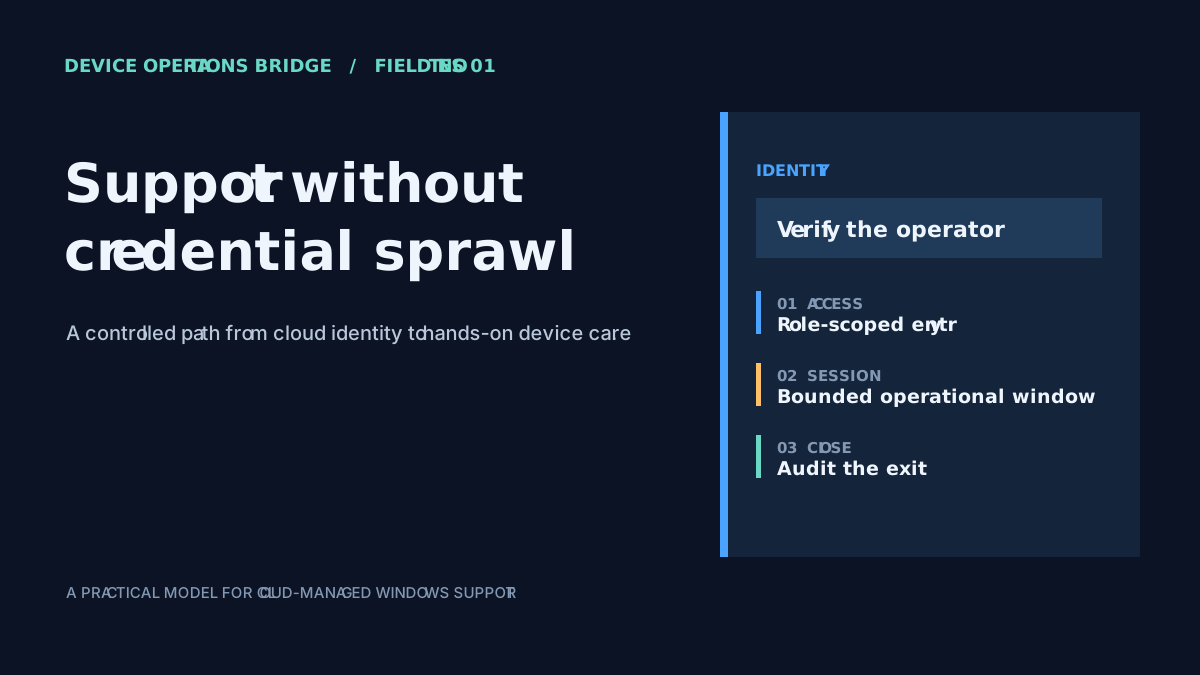
Device Operations Bridge: a controlled path to cloud-only support
Imagine a remote Windows laptop that is online in Intune but is not on the corporate network. A technician needs to inspect a service or repair a local configuration. The device is cloud-joined, so the familiar domain-based route to remote administration is unavailable. Windows LAPS can provide a managed local administrator password, but a password alone is not a support workflow.
Device Operations Bridge is the public-facing name used in this series for a private implementation that connects the pieces around that moment: identify the managed endpoint, authenticate and authorize the operator, create a time-bounded session, optionally reach the device through a network gateway, and record operational events. It complements Entra ID, Intune, Microsoft Graph, Windows LAPS, and WinRM; it does not replace them.
The operational gap
Cloud management and remote support solve related but different problems. Intune can show that a device is managed and apply policy. LAPS can provide a locally managed administrator credential. Neither fact, by itself, answers how an operator should begin a support task, whether that operator may access this device, how long the access should last, or how to reach a device on a remote network.
Without a workflow that connects those controls, teams can end up copying passwords between tools, deciding authorization informally, and recording the work after the fact. The result is more operational friction and less consistent evidence. This design is intended for endpoint support teams, identity and security administrators, and platform engineers who need to troubleshoot cloud-managed Windows devices without treating a password as the entire access model.
The bridge creates a unit of work around a target device and an operator. That makes several decisions visible together: the device identity, the caller, the session window, the chosen execution path, and the way the operation ended.
Follow the request through its boundaries
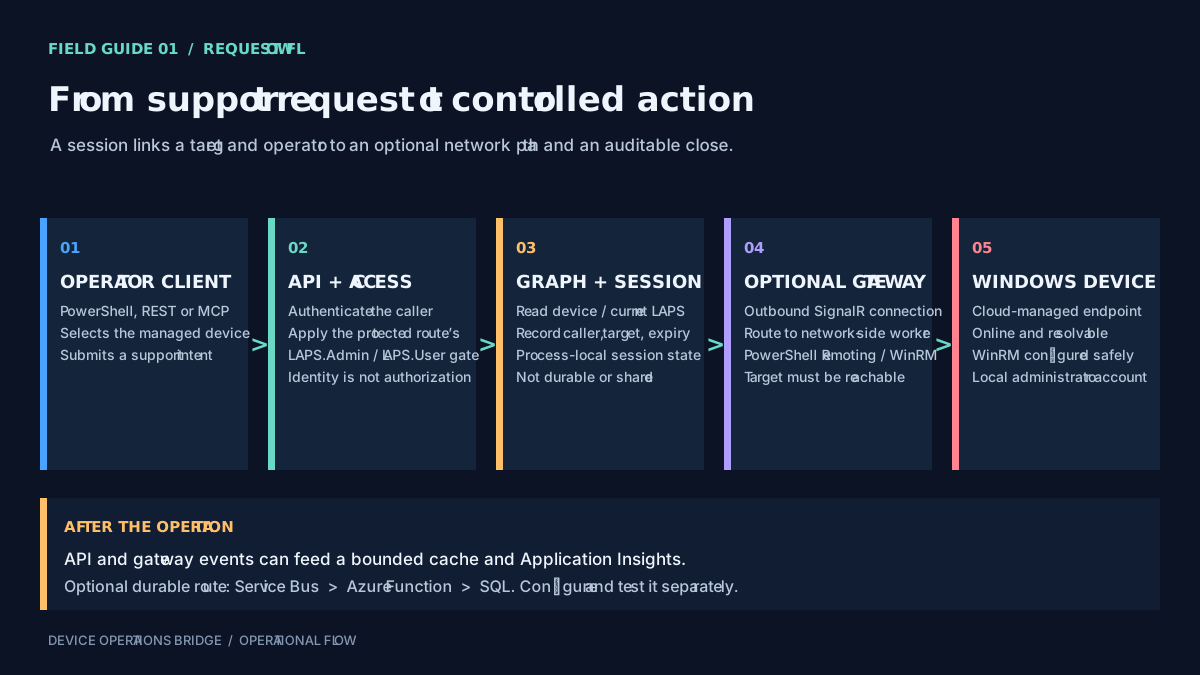
Figure 1: the workflow coordinates existing identity, device-management, credential, and network capabilities rather than replacing them.
1. The operator identifies a managed device
The operation starts from a device identifier supplied through an operator-facing client. The implementation offers a PowerShell module, REST endpoints, and MCP tools for compatible assistant clients. These are different entry points to selected capabilities; they are not interchangeable trust boundaries.
2. The service evaluates access
Authentication establishes which caller is making the request. Protected LAPS session routes then apply a role check, such as LAPS.Admin or LAPS.User. These are separate decisions: accepting a token, certificate, or API key does not automatically grant one of those roles.
The distinction matters especially for assistant integrations. A REST route's role filter should not be assumed to protect every MCP tool. The MCP server needs its own appropriate authentication and authorization configuration, and the client must be treated as a potential recipient of any value returned by a tool.
3. Graph data and session tracking provide context
Graph-backed services retrieve relevant Entra and Intune device information and, where permitted, the Windows LAPS credential. A session record associates the operator and device with a creation time, expiry, status, and credential. The session manager keeps current session state in process memory. It is not durable history, and separate API instances do not automatically share that in-memory state.
A configurable concurrent-access policy can block or warn when another session is already active for the same device. That can reduce accidental overlap, but the policy inherits the limits of its process-local state: it is not a distributed lock across instances or restarts.
4. The network path is optional—and real
When remote command execution is required and the API cannot reach the endpoint directly, an optional gateway can maintain an outbound SignalR connection to the API. The API can route a request to a connected gateway; the gateway then uses PowerShell remoting over WinRM to reach a Windows device on a network it can access.
The gateway extends reachability; it does not make an offline or unresolvable device reachable. Name resolution, routing, firewall rules, WinRM configuration, and the gateway's own placement still determine whether a command can run. The gateway also does not replace the device-management plane or the authorization decision that precedes the operation.
5. Closing the operation is not the same as proving every outcome
The API and gateway can emit lifecycle and execution events. Audit handling is a separate path: recent events may be held in a bounded in-memory cache, and telemetry can be sent to Application Insights. A durable persistence route through Service Bus, an Azure Function, and SQL is optional and must be configured and monitored separately.
Session closure and password rotation are route-dependent. The MCP stop flow can request rotation when the relevant setting is enabled and no other session remains. Other stop and stale-session cleanup paths do not all call the same Graph rotation method. A closed session or an audit event is therefore not proof that the LAPS password changed; verify the specific route and result used in the deployment.
What this approach improves—and what it does not
The session boundary gives the support task a target, an operator, a time window, and lifecycle events that can be associated. A concurrency policy can make overlapping work more deliberate. An optional gateway separates network-side execution from the cloud control plane. A configurable audit pipeline can add persistence when operational requirements call for it.
Those controls have limits. Process-local session state is volatile. Audit durability is not implied by emitting an event. A session identifier does not hide a credential if the selected client returns that credential in its response. And a successful session start does not establish that DNS, network routing, or WinRM is ready.
Deployment considerations
- Scope Microsoft Graph permissions to the device and LAPS operations the service actually performs.
- Assign LAPS roles deliberately, and verify authorization independently for REST and MCP entry points.
- Place a gateway only in network segments it needs to serve; validate device resolution and WinRM from that gateway.
- Require encrypted WinRM and certificate validation in production rather than disabling checks to make a connection succeed.
- Treat LAPS values, command output, assistant transcripts, diagnostics, and telemetry as sensitive data.
- If investigations require durable records, enable and test the Service Bus, Function, and SQL path, including its failure alerts and retention policy.
The useful design question is not simply whether a device has a managed local administrator password. It is whether the organization can explain who requested access, which device was targeted, what path reached it, how the session was governed, and what evidence was retained. This workflow provides a way to examine those boundaries before the next remote device becomes the one that needs urgent attention.