Series · Device Operations Bridge: accountable support for cloud-managed Windows devices · Part 3 of 3
Windows LAPS · Privileged access · Session management · Microsoft Graph · Secure vault · Security boundaries
From LAPS credential to bounded remote session
How LAPS values travel through clients, process-local sessions, gateway execution, and route-specific stop and rotation paths.
- Drafted
- Published
- Reading time
- 5 min
- Author
- Roberto Gramellini
Source: Device Operations Bridge (private repository)
- LAPS password rotation
- temporary remote support session
- MCP credential exposure
- BitLocker one-time vault link
- WinRM session lifecycle
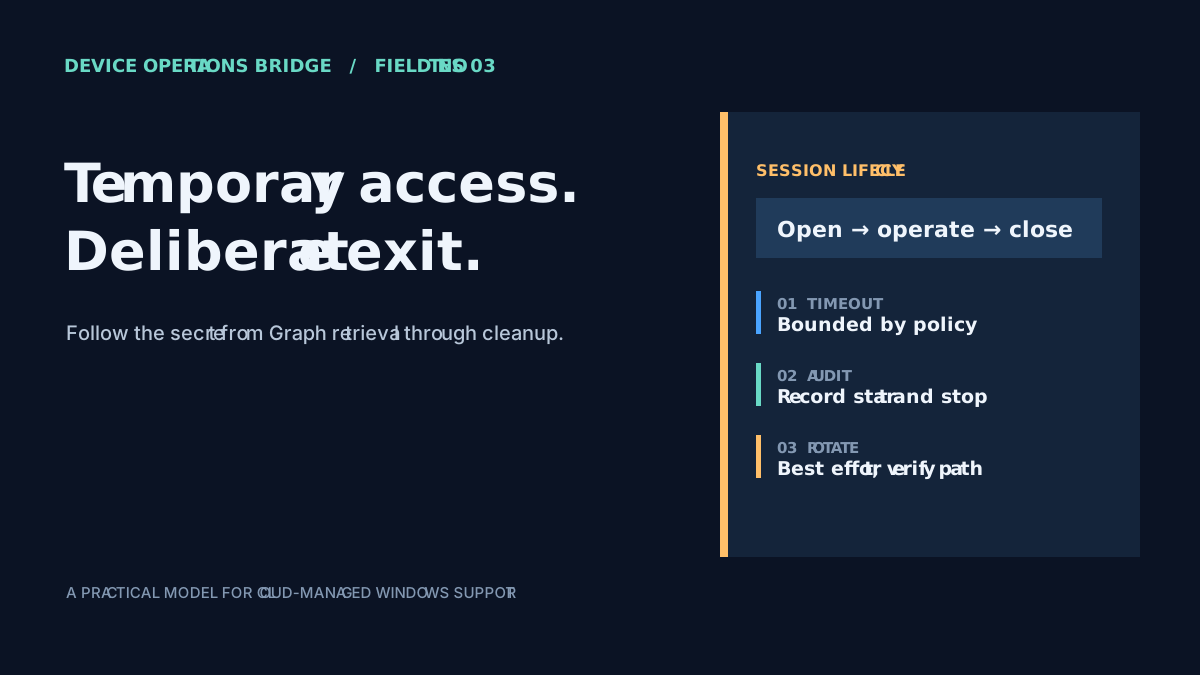
From LAPS credential to bounded remote session
A technician opens a support session to investigate a cloud-managed laptop, runs a remote check, then closes the session. The tool reports success—but did the password actually rotate, and was the password returned to the assistant along the way? A Windows LAPS password is deliberately powerful: it can authenticate as a local administrator. A session identifier does not make that secret disappear, so follow it from retrieval to consumer and then inspect how the session ends.
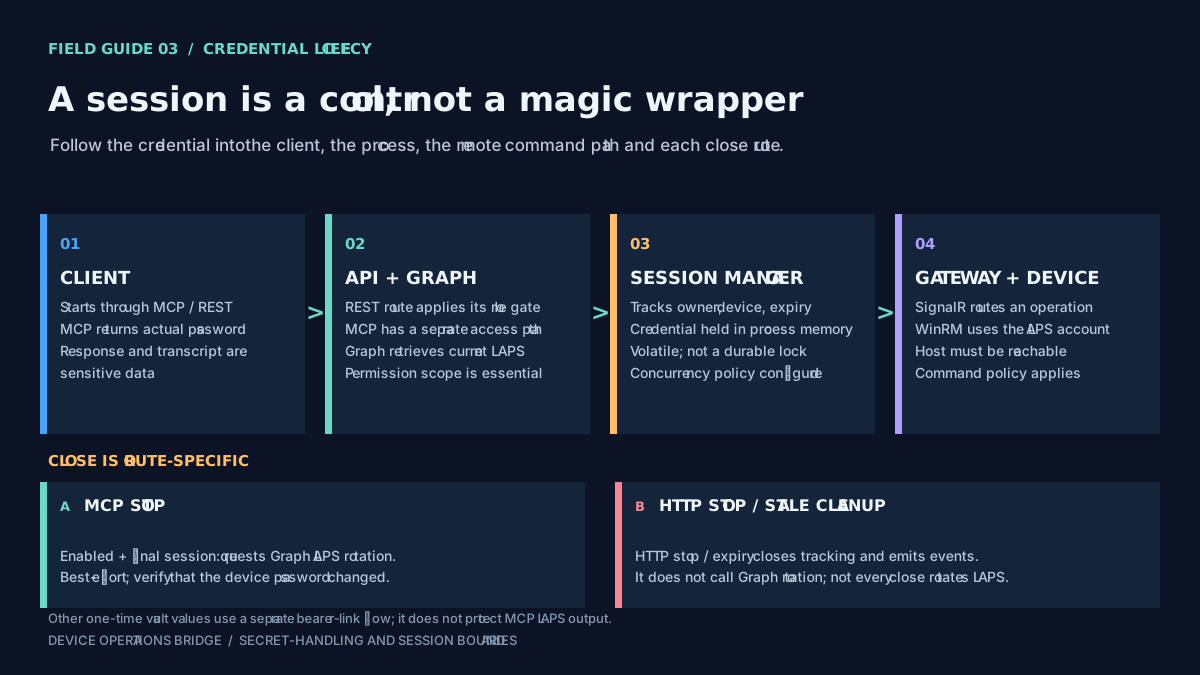
Figure 1: a session makes the intended use and end state visible, but each client response and close route still needs to be examined.
Start with the secret's audience
The API retrieves a device's LAPS credential through its Graph-backed service and constructs a session record containing the operator, device, expiry, status, and credential. The session manager keeps that record in process memory. Protected HTTP session endpoints apply the configured LAPS role filter. MCP is a separate surface: the HTTP filter should not be assumed to protect every MCP tool.
That difference matters because the MCP credential tool returns the actual username and password, and the MCP session-start tool also includes the password in its success response along with the session ID and expiry. The output is therefore secret-bearing. An audit event does not redact the response, and a session ID does not prevent the client from receiving the credential.
Treat the tool result and any assistant conversation history as sensitive. Include the client, transcript, diagnostics, telemetry, and retention settings in the review. Do not promise that a LAPS password stays out of model context when the selected tool returns that password to the caller.
Track where the credential is used
Once the session is created, the gateway executor can use the LAPS username and password to establish a WinRM PowerShell remoting connection. Command policy is checked before dispatch. The network path is still conditional: the device must be online and resolvable from the selected gateway, network rules must permit the connection, and WinRM must be configured for the deployment's security posture.
The session manager's state is process-local. It can support expiry and a configurable policy for concurrent access to the same device, but it is not a durable lock shared automatically across instances. A restart, failover, or multiple API instances can affect active-session tracking. Design operational procedures with that limitation in mind instead of treating a session record as a persistent source of truth.
Rotation depends on the entry point
The MCP stop-session path checks the auto-rotation setting and whether another session remains active for the device. When that is the final session and rotation is enabled, the flow can call the Graph service's cloud-LAPS rotation method. The call is best effort: if it fails, the stop operation can still succeed while reporting that the password was not rotated.
HTTP stop and stale-session cleanup have different behavior in the implementation described here. Those paths close or expire session tracking and emit audit events, but do not call the Graph rotation method. An event that says rotation was initiated is not proof that Graph received a request or that the device password changed.
This is why a configuration flag is not an end-to-end guarantee. Test the specific route operators use, confirm that the required Graph permission exists, and verify the actual password update on a non-production device. Repeat the check for manual stop, expiry, and cleanup rather than assuming that all ways of ending a session behave identically.
A separate flow for other sensitive values
The secure-vault feature is a different path intended for values such as BitLocker recovery keys. Instead of returning the value as an MCP result, it can create a short-lived, one-time link. Possession of the token in the URL is the authorization, and retrieval consumes the entry. The described lifetime is five minutes.
That can reduce exposure of the recovery key in the assistant tool response, but the URL itself is a bearer secret: anyone who obtains it before first use may be able to consume it. Keep it out of logs, tickets, and forwarded conversations; use an appropriate short lifetime; and verify deployed storage and expiry behavior. This vault path does not change the fact that MCP LAPS tools return the actual local administrator password.
What to verify before relying on the workflow
- Choose the intended client path. Confirm whether operators use MCP session tools, REST endpoints, or PowerShell, then test that exact path and its authorization controls.
- Inspect sensitive outputs. Check API responses, MCP transcripts, diagnostics, telemetry, and command output for credential exposure or accidental persistence.
- Prove close behavior. With rotation enabled, close the last session on a test device and verify Graph's result. Repeat for manual stop, inactivity, and maximum-duration cleanup.
- Plan for process-local state. Test restart, failover, and multiple-instance behavior; do not treat the in-memory manager as a durable lock service.
- Test the audit destination. Confirm which events reach Application Insights and whether the optional Service Bus, Function, and SQL route retains them durably.
- Protect one-time links. Treat vault URLs as bearer secrets and verify their real deployed expiry and one-time consumption behavior.
The operational benefit comes from combining scoped roles, an explicit time window, a reachable execution path, and a tested cleanup action. If any one of those is missing, the remaining controls should not be described as if they covered it. Publish only the guarantees exercised end to end; “we requested rotation,” “an audit event was emitted,” and “the password changed” are three different statements.