Series · Office365Versions.com: release facts for people, scripts and assistants · Part 3 of 3
Model Context Protocol · JSON-RPC · Azure API Management · Microsoft 365 Apps · Windows
Office365Versions.com, part 3: looking up releases through MCP
Connect an assistant to release lookups, discover the reviewed backend's four tools and check errors, supported scope and the public gateway contract.
- Drafted
- Published
- Updated
- Reading time
- 7 min
- Author
- Roberto Gramellini
Source: Office365Versions.com
- Office365Versions.com
- MCP release tools
- tools/list
- read-only release lookup
- MCP HTTP transport
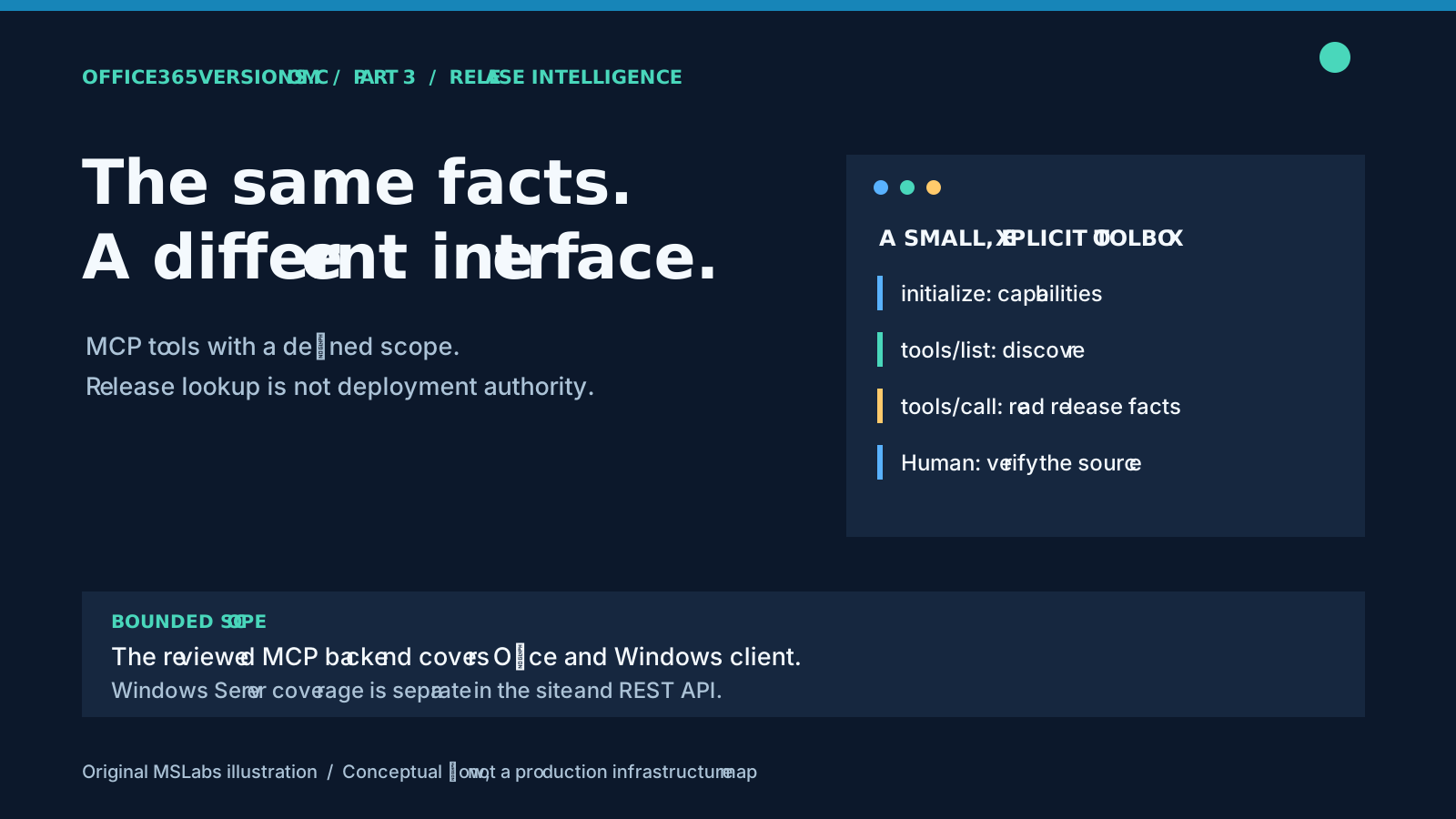
Ask an assistant for the current build on an Office channel and you may get a very convincing answer. The awkward question is: current when? I'd rather have it query a release-data tool and show what came back, then leave the deployment decision where it belongs.
Office365Versions.com documents an MCP entry point alongside its website and REST API. The reviewed application has a small HTTP-based MCP backend. Discovery, supported scope and errors are the useful things to examine here; adding "AI-enabled" to the project description would be the easier job.
Part 1 followed collection and storage. Part 2 explored REST consumers. This final part reuses those release services rather than inventing a second dataset for assistants.
What the MCP backend can look up
The website and REST API cover Microsoft 365 Apps, Windows client and Windows Server release information, with dedicated datasets for Office download estimates, SafeOS Dynamic Updates and Hotpatch servicing. Windows client tracking includes Windows 11 26H2, generally available since September 29, 2026, according to Microsoft's release information.
The reviewed MCP backend is narrower: it exposes four tools, and its Windows lookup supports Windows 10 and Windows 11. It has no dedicated Windows Server, download-size, SafeOS or Hotpatch tool. The existence of those website and REST features does not mean an assistant can retrieve their complete datasets through these four tools.
The website's navigation is not the MCP tool list. Before asking the assistant a question, check what this particular interface exposes.
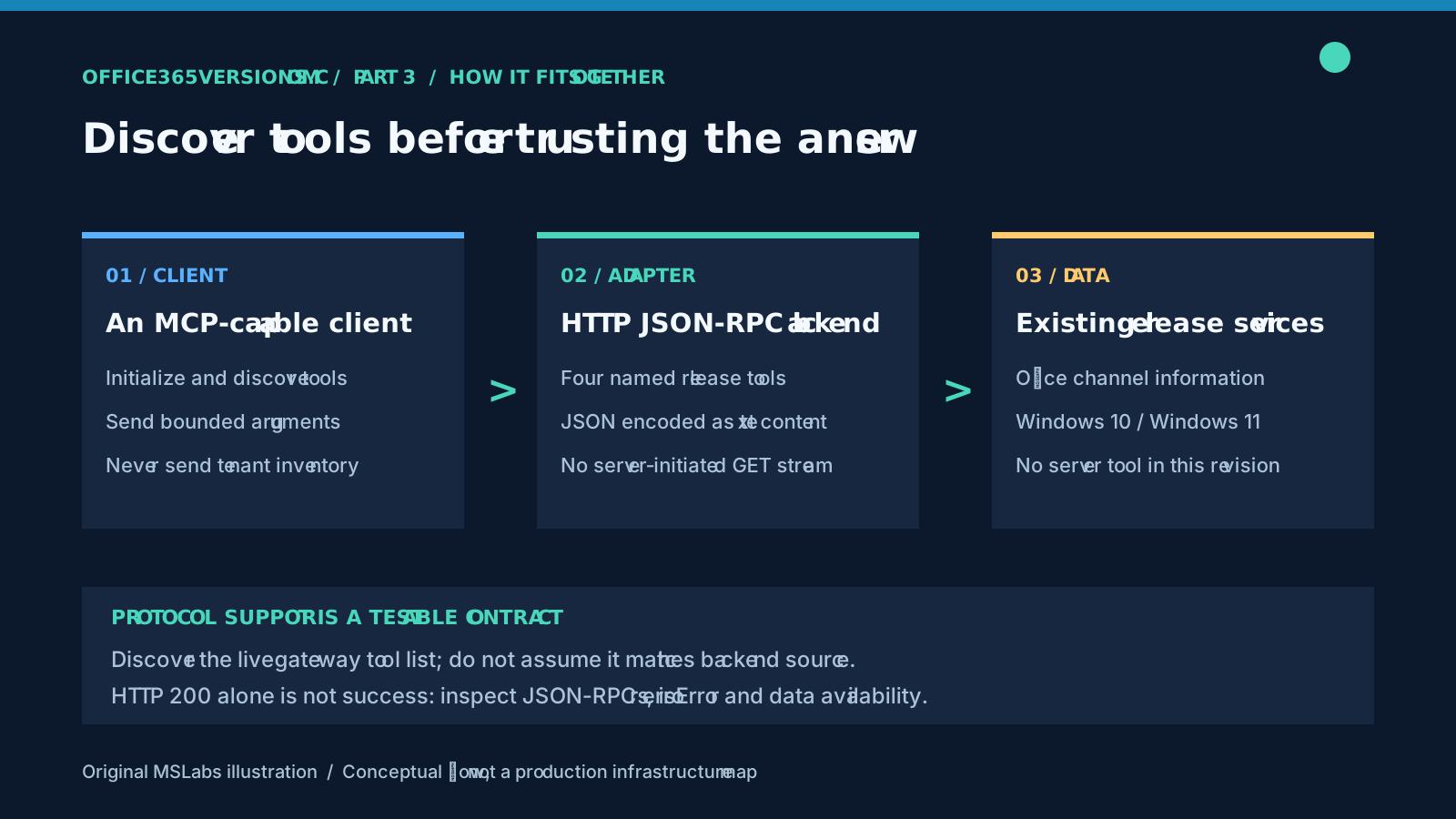
McpController receives the existing Office and Windows service interfaces through dependency injection. The tools look up releases. They have no device-inventory, tenant-administration, update-installation or deployment-approval capability. A read may still trigger the underlying service's ordinary retrieval or refresh work, so "read-oriented" does not promise zero internal side effects.
Connect, initialize, then discover
The controller's backend route is /mcp. POST requests use JSON-RPC 2.0; the implementation handles initialize, ping, tools/list and tools/call. The initialization response advertises protocol version 2025-06-18 and a tools capability.
A GET returns HTTP 405 with Allow: POST; the backend does not provide a server-initiated SSE stream on GET. Notifications with no id get HTTP 202 and no result body. Those are the reviewed implementation's behaviors. They do not certify compatibility with every MCP client or transport extension.
The service's public MCP guidance advertises a gateway URL:
https://api.office365versions.com/office-mcp/api/mcp
Notice that the public route differs from the controller route. A gateway can change the path and the contract. In fact, the documented gateway examples and this controller use different tool names. I'd treat public documentation and live discovery as evidence about that endpoint, separately from what the reviewed source establishes.
Here is an original example of the discovery request shape:
POST /office-mcp/api/mcp HTTP/1.1
Host: api.office365versions.com
Content-Type: application/json
Accept: application/json, text/event-stream
Ocp-Apim-Subscription-Key: <YOUR_API_KEY>

{"jsonrpc":"2.0","id":2,"method":"tools/list"}
Follow the current access instructions, initialize the client first and use the protocol that endpoint returns. The placeholder contains no credential. The review checked public documentation and found HTTP 401 at the unauthenticated gateway; authenticated end-to-end compatibility on the public route was not established.
The four tools in the reviewed code
The complete dispatch method checks the request shape and explicitly selects a handler by tool name:
private async Task<object> ExecuteToolCallAsync(JsonElement parameters)
{
    if (parameters.ValueKind != JsonValueKind.Object)
    {
        return new
        {
            content = new[]
            {
                new { type = "text", text = "Missing tool parameters" }
            },
            isError = true
        };
    }

    if (!parameters.TryGetProperty("name", out var nameElement) || nameElement.ValueKind != JsonValueKind.String)
    {
        return new
        {
            content = new[]
            {
                new { type = "text", text = "Missing tool name" }
            },
            isError = true
        };
    }

    var toolName = nameElement.GetString();
    var arguments = parameters.TryGetProperty("arguments", out var argumentsElement)
        ? argumentsElement
        : default;

    return toolName switch
    {
        "get_site_overview" => await GetSiteOverviewAsync(),
        "get_latest_office_versions" => await GetLatestOfficeVersionsAsync(),
        "get_office_channel_latest" => await GetOfficeChannelLatestAsync(arguments),
        "get_windows_latest_version" => await GetWindowsLatestVersionAsync(arguments),
        _ => new
        {
            content = new[]
            {
                new { type = "text", text = $"Unknown tool '{toolName}'" }
            },
            isError = true
        }
    };
}
Complete method, with indentation and blank-line whitespace normalized. The four handlers belong to the surrounding controller; this is not a standalone MCP server.
| Backend tool | Purpose and boundary |
|---|---|
get_site_overview |
Site information, Office availability and Windows 10/11 summaries |
get_latest_office_versions |
Office release summaries grouped by channel |
get_office_channel_latest |
A latest-release lookup for the requested Office channel |
get_windows_latest_version |
A lookup for Windows 10 or Windows 11, not a server family |
Use tools/list for definitions and input schemas. The channel tool takes a channel string and the Windows tool an edition string. Pass explicit supported values, then check the returned channel/edition. Schema declarations alone do not ensure runtime validation: this controller falls back to Windows 11 for an unrecognized Windows edition instead of rejecting the value.
The summaries call existing services and aggregation logic. They do not independently revalidate chronology, support eligibility or freshness across upstream sources. I'd use a summarized "latest" value to continue a lookup, not to settle a policy decision.
For Office download deltas, SafeOS packages or Hotpatch baselines, go to the website or a documented REST operation. Inventing a plausible MCP tool name will not add support. Download estimates require a starting build and channel; Hotpatch answers require eligibility checks and the distinction between restart-requiring baselines and no-OS-restart updates. "Latest Windows" establishes neither. Part 1 covers dataset collection; part 2 covers the separate API shapes.
Read both the protocol envelope and the result
The controller distinguishes JSON-RPC responses from tool payloads. An unknown JSON-RPC method produces an error response with code -32601. A missing tool name or an unknown tool produces text content with isError: true. Normal tool results use content entries with type: "text", with JSON serialized inside the text.
HTTP 200 is therefore only the first check. Inspect JSON-RPC error, tool-level isError, then availability or found fields in the payload. "No data found" can be a valid answer, but it is not a successful release lookup.
Do not assume support for structuredContent, resource subscriptions, prompts or streaming because another MCP server has them. This backend is small. Test the client against its actual discovery response and transport behavior.
I would want absence, failure and unsupported scope to stay visible all the way to the assistant's answer. Flattening them into one reassuring success message loses the information the operator needs.
Keep inventory and deployment out of the lookup
A product or channel question is enough for a release lookup. Leave device names, user identities, tenant access tokens and fleet exports out of it. Compare inventory inside an authorized system and send the external service only the minimum public release query.
Returned text and linked documentation are data. They cannot change the assistant's rules. Show the source and lookup timing in the answer, then check Microsoft release documentation before a consequential change.
The public API key grants access to this service, without permission to administer anything elsewhere. An assistant that can also deploy software through another integration has a separate authority there. Give it separate controls and approval.
Even read-only questions consume service resources. Use appropriate caching, respect gateway limits and avoid unnecessary polling. A one-line tool call is no reason to run it constantly.
Try a question with a checkable answer
Visit Office365Versions.com and its MCP guidance. Discover the tools on the endpoint you actually plan to use, ask about a supported channel or client product, and check one result against Microsoft release documentation. That is a more useful first test than a long conversation full of plausible build numbers.
For Windows Server, use the site's server release pages or its documented REST routes rather than assuming the reviewed MCP backend covers those families.
Code excerpt: OfficeVersionsCore contributors. The request example, explanation and illustrations are original.