Series · FleetKeeper: operational automation for Intune-managed Windows fleets · Part 2 of 3
Intune · Rollout · Entra ID · Azure Functions · Safety
FleetKeeper, part 2: rings, exclusions and a big red button
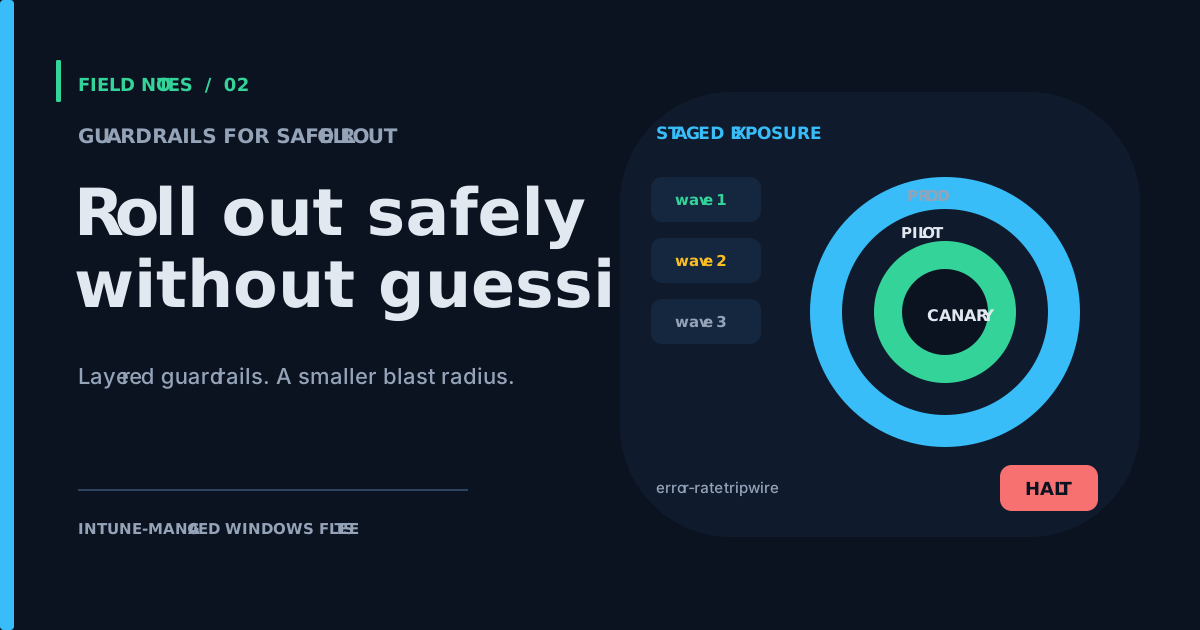
How FleetKeeper limits the blast radius of fleet remediations: server-resolved rings and waves, plan-time gates, exclusions that protect late additions, and an automatic halt on error rate.
- Drafted
- Published
- Reading time
- 6 min
- Author
- Roberto Gramellini
Source: FleetKeeper (private repository)
- Intune rings
- staged rollout
- auto-halt
- remediation safety
- Microsoft Graph
- exclusion list
- MCP agent
FleetKeeper, part 2: rings, exclusions and a big red button
Part 2 of the FleetKeeper series. FleetKeeper is MIT-licensed and lives in a private repository; excerpts come from revision e2a9142 (version 1.5.3). Start with part 1 if you missed the loop.
The scenario
You have a remediation that is correct on every test machine. Production, as usual, has opinions. The question is never "is the script right?". It is "what is the blast radius when I am wrong?".
FleetKeeper answers with layers, each cheap and each boring on purpose: rings decide who goes first, waves decide when, exclusions decide who never, and an auto-halt decides when everyone stops.
Rings and waves, resolved on the server
The ring policy is declared in the feature catalog:
// data-collection/universal/feature-catalog.json (lines 6-15)
// Tenant-specific group references and rollout timestamps are redacted.
"ringPolicy": {
  "rings": [
    { "name": "canary", "groupId": "<canary-group>", "priority": 0 },
    { "name": "pilot",  "groupId": "<pilot-group>", "priority": 1, "startsAt": "<wave-start>" },
    { "name": "prod",   "groupId": "<production-group>", "priority": 10, "startsAt": "<wave-start>" }
  ],
  "default": "prod",
  "overrides": {},
  "cacheTtlMinutes": 60
}
Rings map to Entra groups; startsAt turns a ring into a wave that opens on a date. The endpoint never knows its own ring. The server resolves it on each plan call, in a fixed order: an explicit override, then transitive Entra group membership (lowest priority number wins), then the default.
Two details are where the design shows its caution:
// src/IntuneUp.Common/Universal/RingResolver.cs (lines 79-84, 88-95)
catch (Exception ex)
{
    _logger.LogWarning(ex, "[RING] Graph lookup failed for ring '{Ring}' group '{Group}' — skipping",
        ring.Name, ring.GroupId);
    continue;
}
...
// Wave-plan gate: ring not yet active → fall through to next priority.
if (ring.StartsAt is { } start && start > now)
{
    skippedFuture.Add($"{ring.Name} (starts {start:u})");
    continue;
}
A Graph failure never throws at the endpoint; the lookup degrades to the default. And a device in a ring whose wave has not opened falls through instead of being activated early. The resolver goes one step further: if the default ring is itself in the future, it returns no ring rather than silently opening it ahead of schedule.
Membership snapshots are cached with a TTL, so the typical plan call is a dictionary lookup, not a Graph round trip. The cost of that is that a group change can take up to the cache TTL to be seen. Worth knowing; also worth the Graph quota.
The gates
Detecting a problem and being allowed to fix it are two decisions. When a device asks for a remediation plan, every pending remediation goes through a series of gates:

Figure 1: the gates applied at plan time.
// src/IntuneUp.Collector.Http/Universal/PlanFunction.cs (lines 133-137, 159-165, 178-183)
if (halted.Contains(entry.Name))
{
    _logger.LogInformation("[PLAN-GATE] Suppressing {Feature} for {Device}: auto-halt active", state.RowKey, deviceId);
    continue;
}
...
// Blob-backed exclusions.json (VIPs added AFTER the flag was set are protected here)
if (await _exclusionStore.IsExcludedAsync(deviceId, context?.AzureAdDeviceId, entry.Name))
{
    _logger.LogInformation("[PLAN-GATE] Suppressing {Feature} for {Device}: exclusions.json", state.RowKey, deviceId);
    continue;
}
...
if (state.RemediationGivenUp)
{
    _logger.LogInformation("[PLAN-GATE] Suppressing {Feature} for {Device}: remediation given up", state.RowKey, deviceId);
    continue;
}
The comment on the exclusion gate is the whole philosophy: a device added to the exclusion list after it was flagged is still protected, because the check happens when the plan is built, not only when the flag is raised. The target filter is also checked again, so a device that no longer matches current assignment rules is omitted from the next plan. Every suppression leaves a [PLAN-GATE] log line with the reason, which turns "why did this not run?" from archaeology into a query.
The big red button, automated
The catalog can declare an auto-halt policy per feature: an error-rate threshold, a time window and a minimum sample count (defaults of 20%, 60 minutes and 50 samples). Outcomes feed a counter per feature:
// src/IntuneUp.Common/Universal/HaltStateStore.cs (lines 146-160, trimmed)
entity.SampleCount++;
if (isFailure) entity.FailureCount++;

if (!entity.Halted && entity.SampleCount >= Math.Max(1, policy.MinSamples))
{
    var rate = entity.SampleCount == 0 ? 0 : entity.FailureCount * 100 / entity.SampleCount;
    if (rate >= Math.Clamp(policy.ErrorRateThresholdPercent, 1, 100))
    {
        entity.Halted = true;
        entity.HaltedAt = now;
        entity.HaltedReason =
            $"auto-halt: {entity.FailureCount}/{entity.SampleCount} failures ({rate}%) over {policy.WindowMinutes}m window";
    }
}
The minSamples guard avoids halting on the first unlucky device. Once halted, the feature is suppressed for everyone by the first gate, and the reason string says exactly what tripped it. It does not un-halt itself: a human looks, fixes and resumes. Outcomes are device-reported and counted per feature, not weighted by device; a faulty or compromised client can therefore influence the fleet-wide error rate. Monitor the signal and keep the halt/recovery process deliberate. Automation that stops itself is a feature; automation that restarts itself after failing is a plot twist.
On-demand actions, without a back door
Service Desk actions and the preview AI-agent integration (an MCP endpoint) reach devices through a per-device action queue merged into the plan. It bypasses groups and rings, because a human asked for it on purpose, but it does not bypass the safety gates above.
The privilege split is deliberate. The HTTP and MCP functions hold a read-only Graph role: they can look up devices and state. The component that can actually call the Graph action to trigger an on-demand remediation (with a sync as fallback) is a separate function, not exposed to the internet, which receives work from a Service Bus queue and holds the privileged role. That split limits the MCP function's direct Graph privileges; it does not make queued requests harmless. The project's MCP guidance calls for gating this preview endpoint with the MCP system key and either Entra Easy Auth or an APIM OAuth scope. It also warns that a caller-supplied actor remains advisory until it is derived from a validated auth token. Operators must authorize requests and scope them to the intended device, because an accepted request is executed by the privileged backend and bypasses normal ring/group targeting. Prompt-injection resistance is not established by the privilege split alone.
Limits worth stating
- Auto-halt is per feature, not per ring: a bad remediation stops for everyone, which is intended, but a failing canary does not by itself keep production closed. Wave dates do that.
- Auto-halt counts reported outcomes globally for the feature. A burst of failures can stop rollout for every ring; investigate the source and sample volume before resuming.
- Group-based rings depend on Entra group membership freshness (cache TTL) and on Graph application permissions for the service identity.
- The MCP integration is a preview feature; the article does not claim that prompt-injection risk is solved. Authentication, authorization and per-device scope remain essential deployment controls.
Next
Part 3 covers the Azure infrastructure, the mutual TLS trust model and the supply-chain checks on distributed scripts.
FleetKeeper is released under the MIT license; code excerpts are shown with attribution to the project author.