Series · FleetKeeper: operational automation for Intune-managed Windows fleets · Part 3 of 3
Azure · Bicep · Service Bus · Managed Identity · mTLS · Security
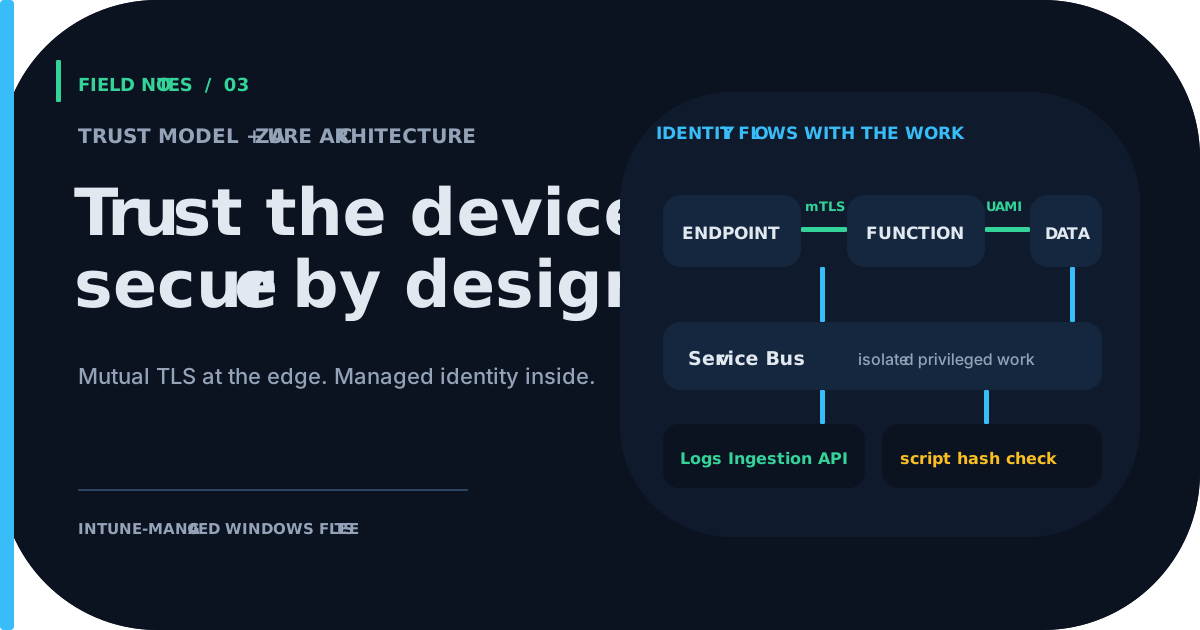
FleetKeeper, part 3: the Azure side, and why the device is the credential
The infrastructure and trust model behind FleetKeeper: mutual TLS with explicit roots, per-workload managed identities, Service Bus isolation of privileged work, verified scripts and an SSRF-guarded webhook runner.
- Drafted
- Published
- Reading time
- 7 min
- Author
- Roberto Gramellini
Source: FleetKeeper (private repository)
- Azure Functions architecture
- mutual TLS
- managed identity
- Service Bus
- Logs Ingestion API
- Bicep
- SSRF
- Intune
FleetKeeper, part 3: the Azure side, and why the device is the credential
Part 3 of the FleetKeeper series. FleetKeeper is MIT-licensed and lives in a private repository; excerpts come from revision e2a9142 (version 1.5.3). Earlier parts: the loop and the guardrails.
The scenario
Thousands of endpoints call a public HTTPS endpoint that can tell them to run PowerShell. If that sentence makes you uneasy, good: so it should. This part explains what keeps it boring: who is allowed to call, who is allowed to do what, and what is verified before anything runs.
The shape of the solution
Figure 1: the Azure components and the direction of each call.
The backend is split by responsibility, as .NET 10 isolated-worker Azure Functions on Linux:
| Component | Job | Reachable from the internet |
|---|---|---|
| HTTP collector | plan, outcome, state, script and heartbeat | Yes; device routes validate mutual TLS |
| MCP tools | read-only lookups and on-demand requests | Yes; gate with the MCP system key and Entra Easy Auth or an APIM OAuth scope |
| Service Bus collector | rule engine, state updates, ingestion | No |
| DeviceOps | privileged Graph calls | No, fed only by Service Bus |
| Handlers | webhook, runbook and inline script runners | No |
| Portal | Blazor Server, Entra sign-in, live power-flow view | Operators |
The slow, privileged and failure-prone work happens behind dedicated Service Bus queues with dead-letter handling and bounded delivery attempts. The HTTP front only has to be fast and strict.
Identity: the device is the credential
Endpoints authenticate with mutual TLS. App Service terminates TLS, forwards the client certificate in a header, and the backend validates it. The Bicep carries an invariant that is worth a comment of its own:
// infrastructure/bicep/main.bicep (lines 558-562)
// Security invariant: App Service must strip/replace caller-supplied
// X-ARR-ClientCert. Keep client certificates enabled; Optional only prevents
// Kudu, health checks and administrative endpoints from being TLS-blocked.
// Device-facing functions still require and validate the forwarded certificate.
clientCertEnabled: true
If client certificates were disabled, a caller could invent the header and walk in. With them enabled, the platform overwrites it. Then the validator does the real work, building the chain against explicitly configured roots instead of whatever the machine trusts:
// src/IntuneUp.Common/CertificateValidator.cs (lines 83-97, 119-132, trimmed)
var trustAnchors = _trustedIssuerCertificates.Where(IsSelfSigned).ToArray();
if (trustAnchors.Length == 0)
    return CertificateValidationResult.Fail("No trusted root certificates configured");

var intermediates = _trustedIssuerCertificates.Where(c => !IsSelfSigned(c)).ToArray();

chain.ChainPolicy.TrustMode = X509ChainTrustMode.CustomRootTrust;
chain.ChainPolicy.CustomTrustStore.AddRange(trustAnchors);
chain.ChainPolicy.ExtraStore.AddRange(intermediates);
var chainValid = chain.Build(certificate);
...
// Check issuer thumbprint in chain (skip element[0] which is the leaf/client cert itself).
for (int i = 1; i < chain.ChainElements.Count; i++)
{
    var issuerCert = chain.ChainElements[i].Certificate;
    if (_allowedIssuerThumbprints.Contains(issuerCert.Thumbprint.ToUpperInvariant())) { issuerFound = true; break; }
}
Custom root trust, an allow-list of issuers that must appear in the chain (never the leaf itself), validity dates, a client-authentication EKU, and a refusal to accept a CA certificate as a device certificate. This is the same pattern, in more detail, as part 3 of the LogCollector series, where we also explain how a device identity is derived from the certificate.
Identity: managed identity inside the cloud boundary
Every workload gets its own user-assigned managed identity, with role assignments declared up front in Bicep. For Service Bus specifically, local authentication is disabled:
// infrastructure/bicep/service-bus.bicep (lines 20-23)
properties: {
  minimumTlsVersion: '1.2'
  disableLocalAuth: true          // This Service Bus namespace requires managed identity
}
Key Vault uses RBAC, not access policies. Telemetry reaches Log Analytics through the Logs Ingestion API (DCE + DCR), authenticated with Entra ID, which is the supported path now that the HTTP Data Collector API was retired in September 2026. This collector does not authenticate with a workspace shared key.
Supply chain: integrity checks are not provenance
Remediation scripts are versioned blobs. The endpoint downloads to a temporary file, checks the SHA-256 against the value in the plan, and only then moves it into place:
# data-collection/universal/IntuneUp.Universal.psm1 (lines 497-507, trimmed)
$tmp = Join-Path $dir ("{0}.{1}.tmp" -f $Version, ([guid]::NewGuid().ToString('N')))
Invoke-WebRequest -Uri $uri -Method Get -Certificate $Certificate -TimeoutSec 60 `
    -Headers $headers -OutFile $tmp -UseBasicParsing | Out-Null
$actual = Get-IntuneUpFileSha256 -Path $tmp
if ($actual -ne $expectedLower) {
    throw "SHA-256 mismatch for $ScriptId/$Version (expected $expectedLower got $actual)"
}
Move-Item -Path $tmp -Destination $path -Force
A mismatch throws; there is no "run it anyway" fallback. This proves the downloaded bytes match the digest in the plan; because both come from the same service boundary, it does not independently establish who authored the script. Optional Authenticode enforcement (requireScriptSignature) is available but defaults to off, and published script blobs can become immutable after a configurable number of days. Restrict write access to the plan/catalog and script storage, and enable signing with a trusted publisher when that infrastructure is ready.
The webhook handler also validates outbound destinations. It requires HTTPS by default, resolves hostnames and rejects private ranges. However, the code validates DNS results before the HTTP request and does not pin the validated address to the connection, so DNS rebinding remains a concern. Treat this as a guardrail, not a complete SSRF boundary; combine it with outbound network restrictions and destination allow-lists.
// src/IntuneUp.Handlers/Runners/WebhookHandlerRunner.cs (lines 187-218, trimmed)
internal static bool IsPrivateOrLoopback(IPAddress ip)
{
    if (IPAddress.IsLoopback(ip)) return true;
    var bytes = ip.GetAddressBytes();
    if (ip.AddressFamily == System.Net.Sockets.AddressFamily.InterNetwork)
    {
        if (bytes[0] == 10) return true;                                  // 10.0.0.0/8
        if (bytes[0] == 172 && bytes[1] >= 16 && bytes[1] <= 31) return true; // 172.16.0.0/12
        if (bytes[0] == 192 && bytes[1] == 168) return true;              // 192.168.0.0/16
        if (bytes[0] == 169 && bytes[1] == 254) return true;              // link-local + IMDS
    }
    else if (ip.AddressFamily == System.Net.Sockets.AddressFamily.InterNetworkV6)
    {
        if (ip.IsIPv4MappedToIPv6) return IsPrivateOrLoopback(ip.MapToIPv4());
        if (ip.IsIPv6LinkLocal || ip.IsIPv6SiteLocal) return true;
        if ((bytes[0] & 0xFE) == 0xFC) return true;                       // fc00::/7
    }
    return false;
}
These checks cover IPv4 loopback/private/link-local ranges, IPv4-mapped IPv6, IPv6 link-local/site-local and unique-local ranges. They do not pin DNS answers between validation and connection, which is why network egress policy remains important.
Network and sizing
A deploymentSize parameter selects profiles: dev (shared Basic plan, around 5,000 clients), prod-small (Premium plan with autoscale up to five workers, around 10,000) and prod-large (larger Premium, up to twenty workers, 60,000 and beyond). Optional layers add private endpoints with private DNS zones for storage, Service Bus, Key Vault, App Configuration and Log Analytics, an Application Gateway with WAF (OWASP and bot rules) and API Management. A Container Apps variant of the stack exists for teams that prefer containers over Functions plans. Deployment is scripted, and the artifact path verifies SHA-256 hashes before deploying.
Limits worth stating
- Mutual TLS is only as good as the certificate issuance behind it; the trust configuration (roots, intermediates, issuer allow-list) is the thing to get right and to monitor. The validator logs critically when trust is incomplete.
- Revocation checking is configurable; if you disable it, you accept the offline-revocation trade-off knowingly.
- Script signing is off by default and the SHA-256 check does not replace it: it proves integrity against the plan, not authorship.
- Sizing numbers are the project's profiles, not a guarantee. Load-test your own fleet.
Wrapping up
The whole series in a sentence: a fleet-operations layer where the server decides, the state remembers, the guardrails limit the damage, and the device proves who it is. The source repository is private; contact the author for further implementation context. Treat these patterns as starting points, not a drop-in security blueprint.
FleetKeeper is released under the MIT license; code excerpts are shown with attribution to the project author.