Series · FleetKeeper: operational automation for Intune-managed Windows fleets · Part 1 of 3
Intune · Remediations · Azure Functions · Windows · Automation
FleetKeeper, part 1: remediations that remember what they did
Why static Intune Remediations are not enough for fleet operations, and how FleetKeeper adds server-driven plans, per-device state, cooldowns and give-up rules on Azure.
- Drafted
- Published
- Reading time
- 7 min
- Author
- Roberto Gramellini
Source: FleetKeeper (private repository)
- Intune remediations
- Intune automation
- device state
- rule engine
- Logs Ingestion API
- Azure Functions
- Windows fleet management
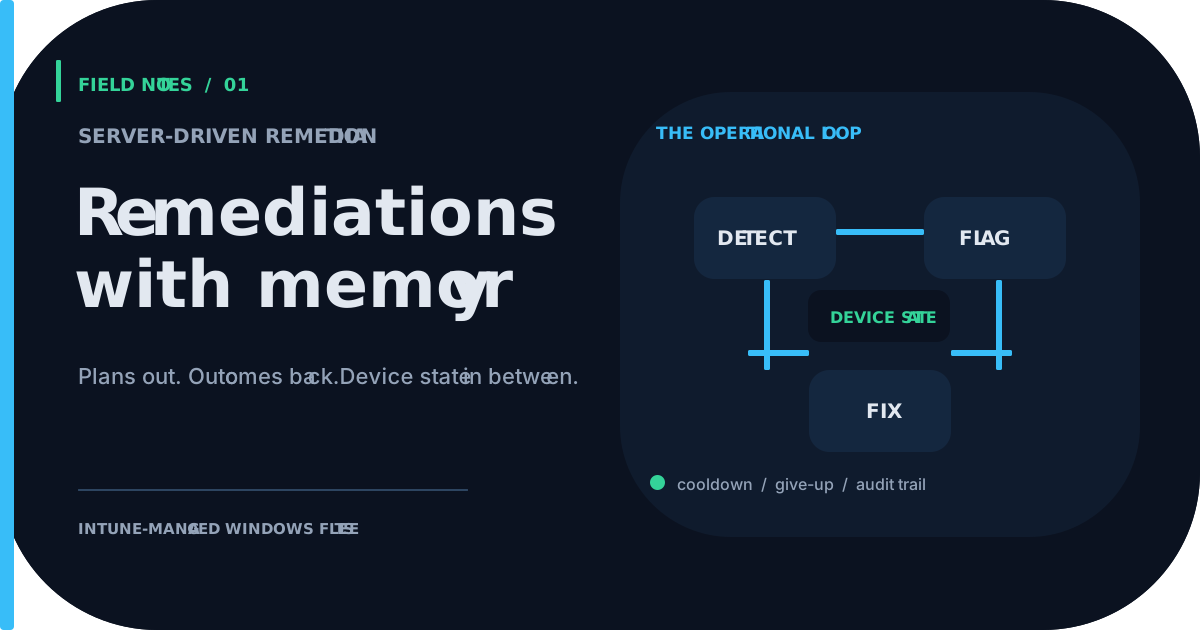
FleetKeeper, part 1: remediations that remember what they did
FleetKeeper is an MIT-licensed project that lives in a private repository. This series shares the rationale and the design, not the keys to the building. Excerpts are taken from revision e2a9142 (version 1.5.3).
A note on naming: FleetKeeper is the name used throughout this series. The excerpts come straight from the source tree, so identifiers, namespaces and configuration keys still carry the project's original working name (IntuneUp).
The scenario
Two hundred laptops report uptime above fourteen days. Fast Startup is quietly turning every "Shut down" into a hibernation, so the machines never really reboot, and patches wait politely for a restart that never comes. You ship a remediation. It runs, it fixes most devices, and on a handful it fails every single day for a month. Nobody notices, because a script that fails does not page anyone.
Now ask the uncomfortable questions. Which devices were fixed and when? Which ones are failing, and for how long? Can you pause the whole thing if it starts misbehaving? Can you try it on twenty devices first?
Static Intune Remediations answer "run this script on this schedule". They do not answer any of those questions. FleetKeeper exists to answer them.
What it is
FleetKeeper is an operational automation layer for Intune-managed Windows fleets, built on Azure and without third-party agents. It combines:
- a universal PowerShell client, plus an optional native C++ Windows service, that runs detect and remediate steps on the endpoint;
- a .NET 10 backend on Azure Functions that decides what each device should run, and records what happened;
- per-device, per-feature state in Azure Table Storage;
- a feature catalog in JSON that describes detections, remediation rules, rings and exclusions;
- outcome telemetry in Log Analytics through the Logs Ingestion API, ready for KQL and Workbooks.
The key idea is small: the endpoint does not decide, the server does. The endpoint asks for a plan, executes it, and reports outcomes. Everything else is state and rules.
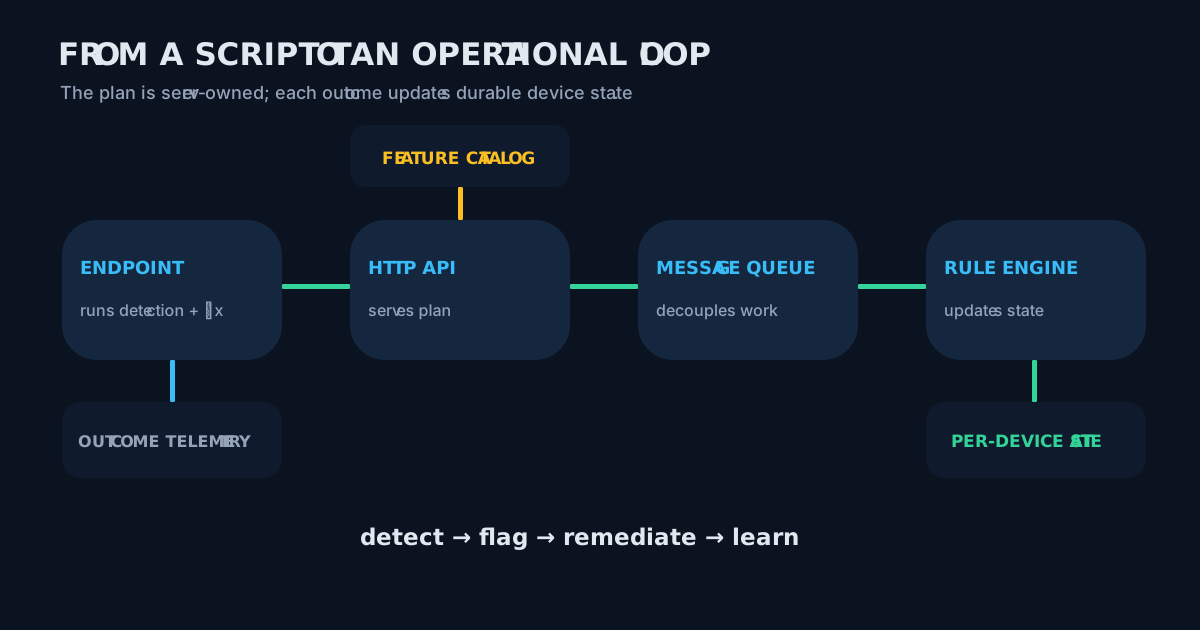
Figure 1: plan out, outcome in, state updated, next plan shaped by the state.
The gap: scripts without memory
A detection script is stateless by design. That is fine for a one-off check, and not fine for fleet operations, where you need:
| Need | Plain remediation script | FleetKeeper |
|---|---|---|
| Remember the last attempt | No | Yes, per device and per feature |
| Avoid hammering a device | No | Cooldown in hours |
| Stop retrying a lost cause | No | Give up after consecutive failures |
| Skip some devices | Assignment filters only | Exclusion gate plus catalog exclusions |
| Roll out gradually | Manual group juggling | Rings, waves, percentages (part 2) |
| Stop everything fast | Unassign the script | Automatic halt on error rate (part 2) |
| Correlate with telemetry | Separate effort | Same pipeline, same tables |
The audience is the person who owns a few thousand endpoints and has already learned that "it ran" and "it worked" are different sentences.
The loop, input to output
- Plan. The endpoint calls
/api/planover mutual TLS. The server answers with the features to run in thedetectphase. - Detect. The client runs each detection and posts an outcome:
Compliant,NonCompliant,Error. - Flag. The rule engine, fed through Service Bus, updates the state. If the feature's rule says so, the device gets flagged as needing remediation.
- Remediate. On the next plan, the flagged device receives the remediation feature, subject to cooldown, exclusions and rollout gates.
- Close or give up. A
Remediatedoutcome clears the flag. Repeated failures end in a terminal state that needs a human.
The native agent runs this cycle every 24 hours (server-tunable), remediating before detecting, and sends a lightweight heartbeat every 15 minutes: online until two intervals are missed, late until three, then offline.
The catalog: policy as data
Behaviour lives in feature-catalog.json, not in code. A detection and its remediation rule are declared side by side:
// data-collection/universal/feature-catalog.json (lines 17-40, trimmed)
{
  "name": "CheckUptime",
  "phase": "detect",
  "parameters": { "thresholdDays": 14 },
  "targetFilter": { "includeAll": true, "excludeDeviceIds": [] },
  "remediationRule": {
    "remediateFeature": "DisableFastStartup",
    "triggerOnStatus": ["NonCompliant"],
    "minConsecutiveNonCompliant": 1,
    "cooldownHours": 168
  }
}
Read it aloud: if uptime goes over fourteen days, flag the device and run DisableFastStartup, at most once a week. The remediation disables Fast Startup (HiberbootEnabled=0). It does not force a reboot on the user, which is the kind of restraint users tend to remember fondly.
Another feature in the same catalog asks for two consecutive non-compliant results before acting. Noise tolerance is a number, not a code change.
The rule engine: where memory pays off
Cooldown is a three-line function. It compares the last remediation time with the window:
// src/IntuneUp.Collector.ServiceBus/Universal/RuleEngine.cs (lines 185-191)
private static bool IsInCooldown(DeviceFeatureStateEntity entity, RemediationRule rule, out DateTimeOffset cooldownUntil)
{
    cooldownUntil = default;
    if (rule.CooldownHours <= 0 || entity.LastRemediationAt is null) return false;
    cooldownUntil = entity.LastRemediationAt.Value.AddHours(rule.CooldownHours);
    return DateTimeOffset.UtcNow < cooldownUntil;
}
And the part that earns the project its keep, what happens after a remediation result:
// src/IntuneUp.Collector.ServiceBus/Universal/RuleEngine.cs (lines 197-205, 207-209, 214-222)
if (string.Equals(result.Status, UniversalConstants.Status.Remediated, StringComparison.OrdinalIgnoreCase))
{
    entity.NeedsRemediation = false;
    entity.NeedsRemediationSince = null;
    entity.ConsecutiveRemediationFailures = 0;
    return;
}

if (string.Equals(result.Status, UniversalConstants.Status.RemediationFailed, StringComparison.OrdinalIgnoreCase))
{
    entity.ConsecutiveRemediationFailures++;
    const int defaultMax = 5;
    if (entity.ConsecutiveRemediationFailures >= defaultMax)
    {
        entity.RemediationGivenUp = true;
        entity.NeedsRemediation = false;
    }
}
Success resets the counter. Five consecutive failures set RemediationGivenUp, and the device stops receiving that remediation until an administrator clears it. The log line says it plainly: "admin must clear". A machine that fails five times in a row is telling you something, and the system listens instead of retrying forever.
Telemetry without the retired API
Outcomes land in Log Analytics through the Logs Ingestion API, with a Data Collection Endpoint, a Data Collection Rule and Entra ID authentication:
// src/IntuneUp.Collector.ServiceBus/Program.cs (lines 50-65, trimmed)
// LogsIngestionClient for the Logs Ingestion API (DCE + DCR, Entra ID authentication)
builder.Services.AddSingleton(sp =>
{
    var dceEndpoint = config["IntuneUp:LogAnalytics:DceEndpoint"];
    if (string.IsNullOrWhiteSpace(dceEndpoint))
        throw new InvalidOperationException("IntuneUp:LogAnalytics:DceEndpoint must be configured");
    return new LogsIngestionClient(new Uri(dceEndpoint), defaultCredential);
});
This is the same migration story we told in the LogCollector series: the HTTP Data Collector API was retired in September 2026, so new work should not be built on it. The ingestion client uses Entra authentication rather than a workspace shared key.
Limits worth stating
- The state is only as good as the outcomes reported. A device that never checks in produces no state, which is what the heartbeat and the late/offline logic are for.
- The give-up threshold is a defensive default of five in the code excerpted above; treat it as a documented behaviour, not a tunable you should assume.
- This is a design walkthrough. The repository is private, so the excerpts here are what you get.
Next
Part 2 covers the guardrails: rings, waves, exclusions and the automatic halt. Part 3 covers the Azure infrastructure and the trust model.
FleetKeeper is released under the MIT license; the code excerpts are shown under that license with attribution to the project author.